01 / 04
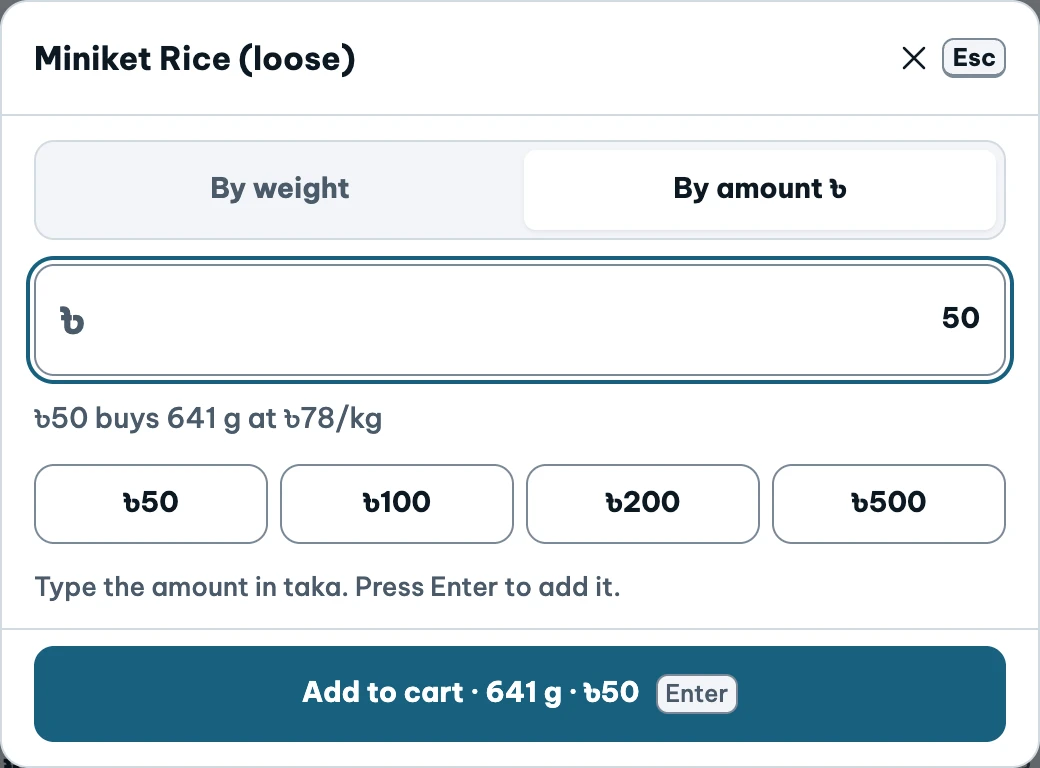
Enter weight or money
A customer asks for ৳50 of rice. The money tab shows the calculated weight. Switch to weight to see the 500 g example.
Select the image for a closer look
Explore actual demo screens at your own pace. Nothing here submits a sale or changes the app.
Watch it in motionA customer asks for ৳50 of rice. The money tab shows the calculated weight. Switch to weight to see the 500 g example.
Select the image for a closer look
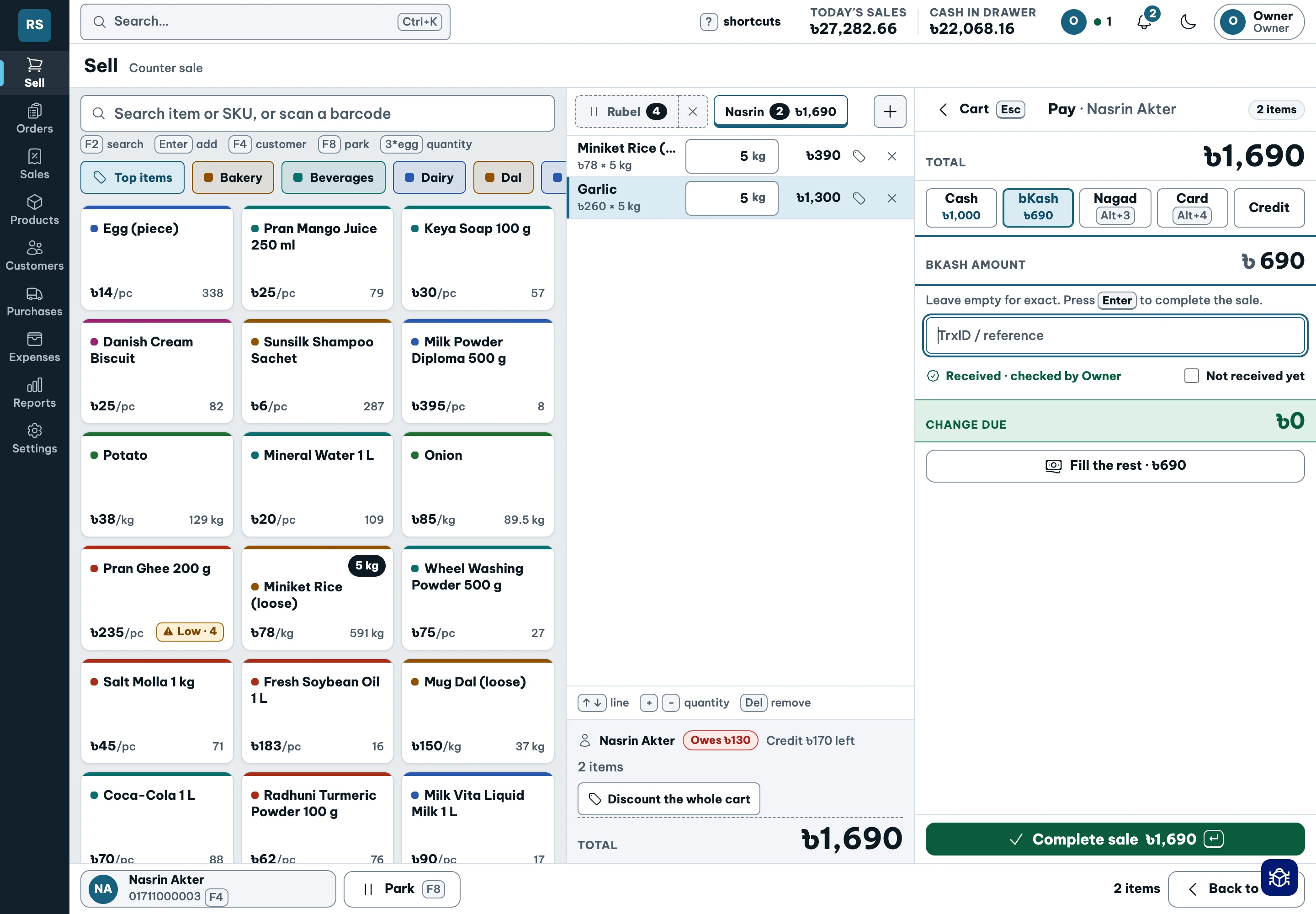
This separate demo cart shows a split payment. Check the total, each payment fund and any change before completing a sale.
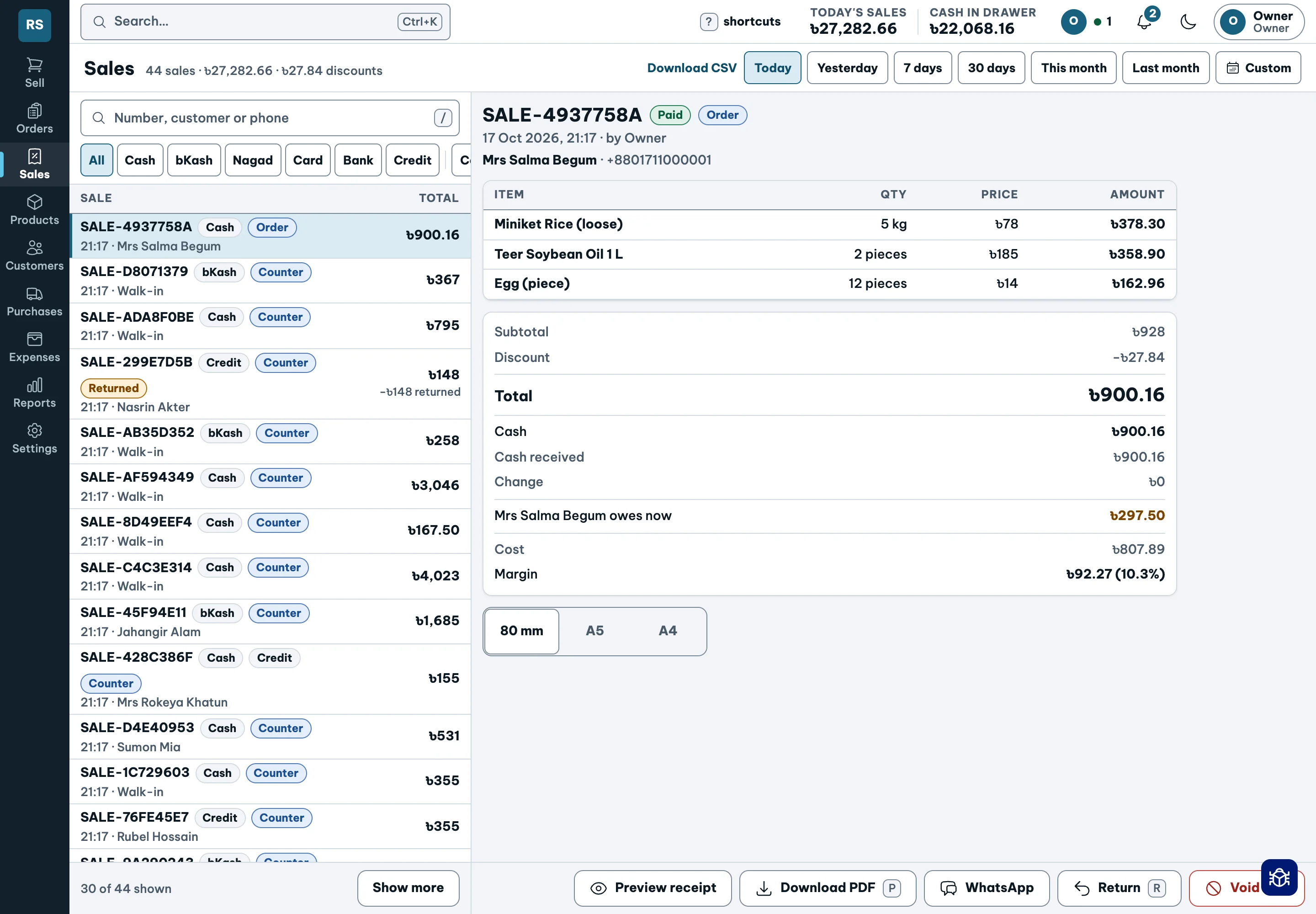
Open an existing sale to trace its details. Bills can be printed or saved as PDF; a return should refer back to the original sale.
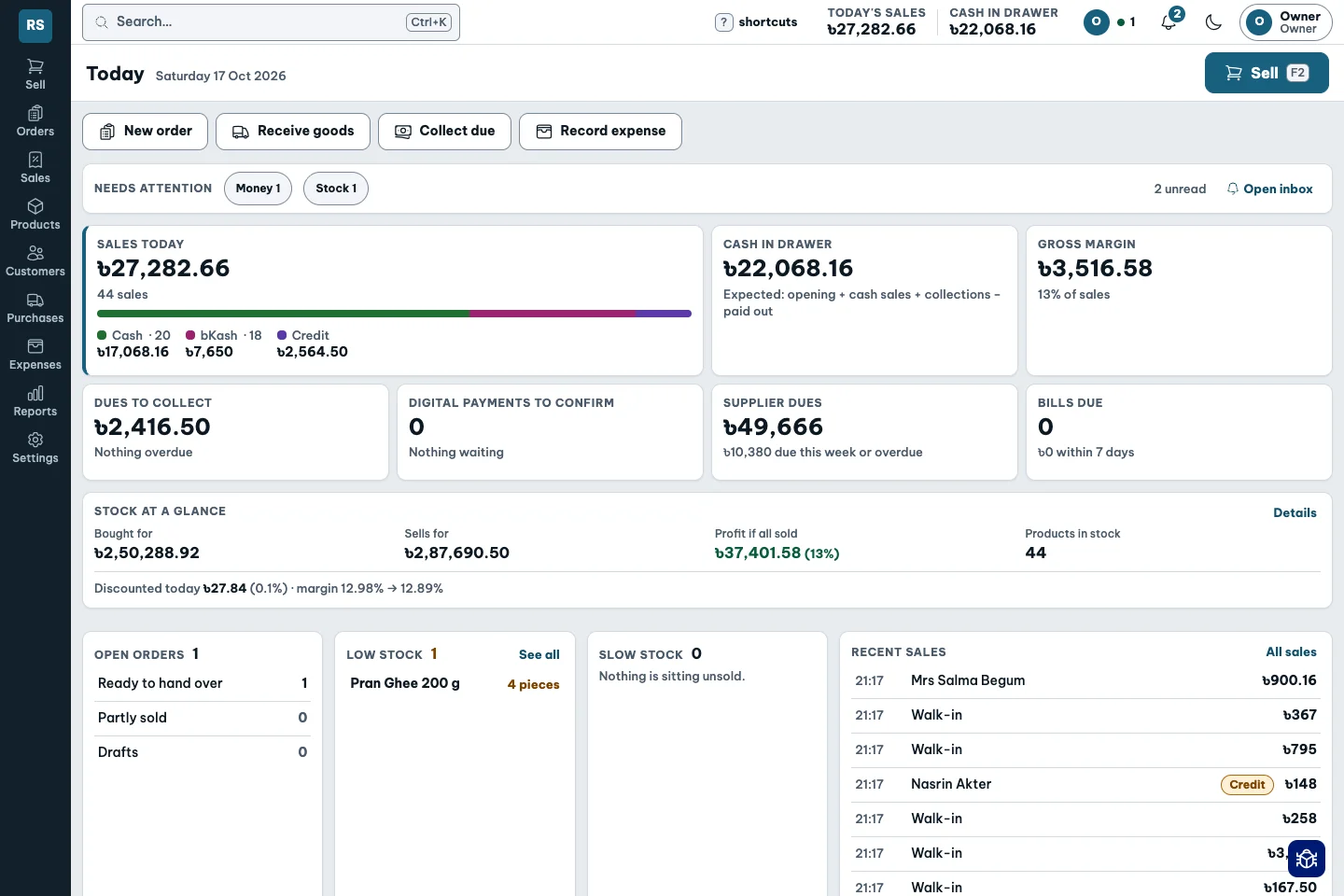
The owner’s Today view brings sales, product profit, dues and cash together. Staff permissions control who can see cost and profit.
Screens illustrate separate demo records, not one continuous transaction.
Explore mobile, tablet & laptop