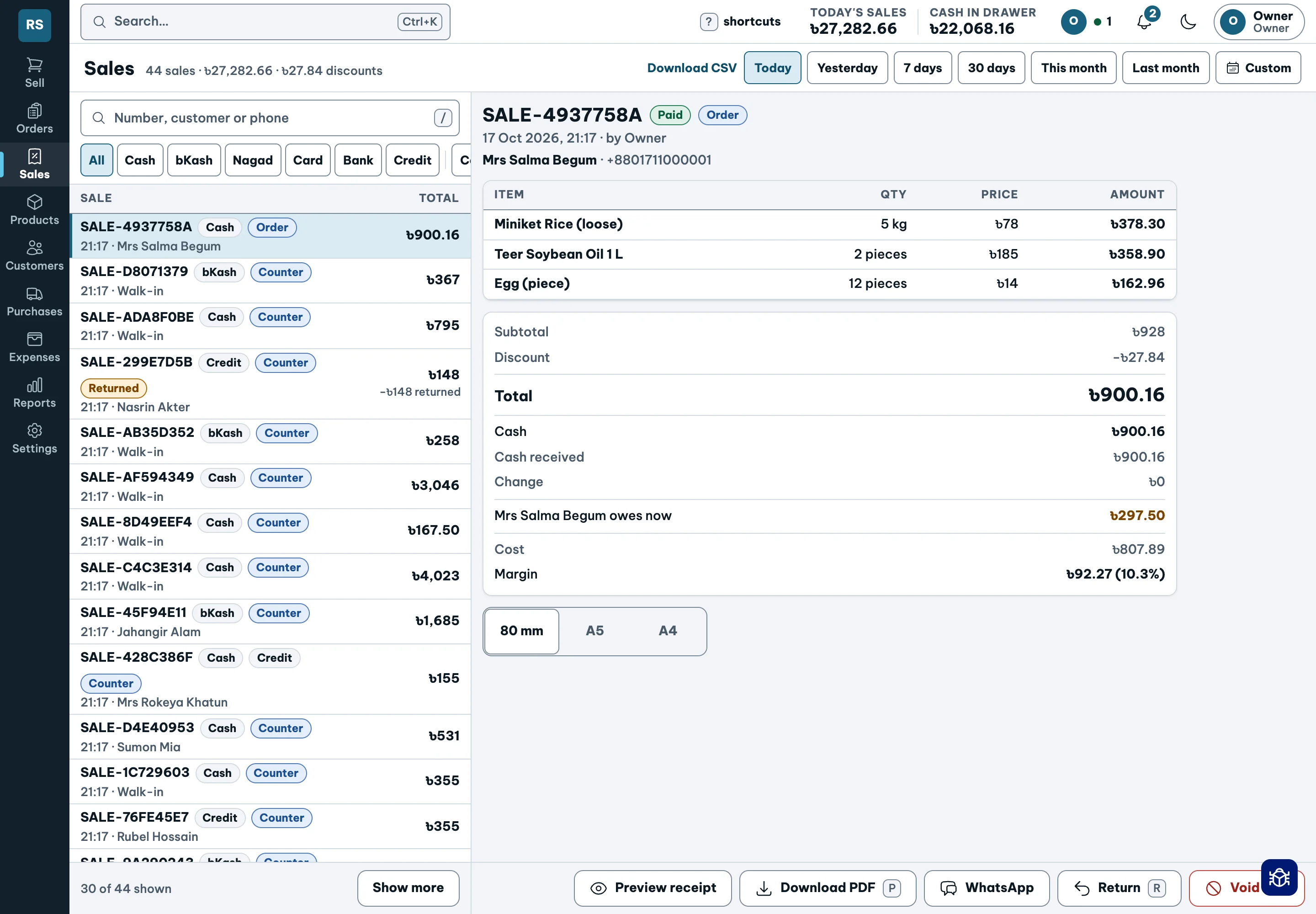
Every due has a name.

See who owes you, how much and how late. Keep money held in advance separate.

Request a demo
Credit, dues, deposits · actual demo account
Credit, dues, deposits · actual demo account Actual demo app · tap to enlarge ↗

The whole shop.
Three connected journeys.

A sale is one moment. Shopkeeper follows the work before it and the responsibilities after it.

The shopkeeper’s journey

From setting up the shop to closing the drawer, keep the work and the books together.

  1. Set up the shop

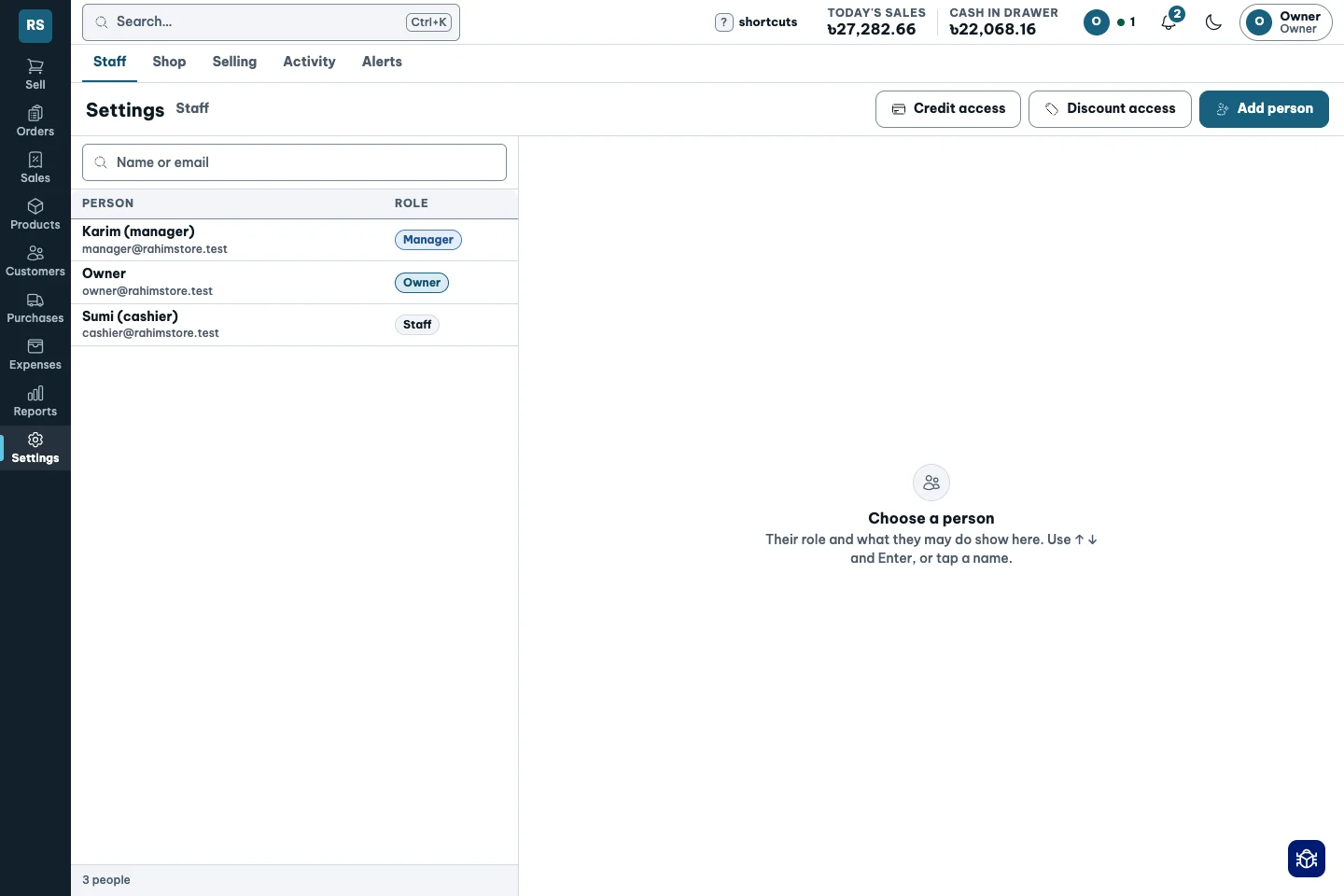
    Add products, opening stock and customers. Review staff permissions and tax settings. CSV import is in Pilot; opening customer dues are not available yet.

    See how it works ↗
  2. Open and sell

    Count the cash, serve the counter, weigh loose goods and take cash, bKash, Nagad or card.

    See how it works ↗
  3. Keep the day moving

    Receive deliveries, check packed orders, record expenses and review requests that need your approval.

    See how it works ↗
  4. Close with a clear picture

    Count the drawer, explain any difference and close the day. Review sales, profit, dues and each fund.

    See how it works ↗
A product’s journey

Know what came in, what it really cost, what sold and what needs buying again.

  1. Buy and receive

    Record the delivery, free goods, freight and supplier discounts. These feed the moving average cost.

    See how it works ↗
  2. Stock and price

    Keep items, brands and packs together. See sacks plus loose stock and review suggested prices when margins fall.

    See how it works ↗
  3. Sell and fulfil

    Sell by piece, weight or amount. Pack and check orders, sell what is ready and leave the rest for later.

    See how it works ↗
  4. Return and replenish

    A return reverses the original profit and tax. Use the reorder screen to plan the next purchase; slow-stock insight is in Pilot.

    See how it works ↗

A customer’s journey

From the first bill to the last taka collected, keep the customer’s story in one place.

  1. Know the customer

    Keep a customer record, use their usual brand and repeat a regular customer’s last order.

    See how it works ↗
  2. Order, pay or leave a deposit

    Take payment across supported funds. Hold advance money for goods still to come, then use it, refund it or retain it as credit.

    See how it works ↗
  3. Invoices, receipts and credit

    Print sale bills in 80 mm, A5 or A4, save a PDF or open WhatsApp sharing. Receipts follow your tax setting. Set credit limits and due dates, then follow the ageing list.

    See how it works ↗
  4. Collect and handle returns

    Collections settle the oldest dues first. Send a WhatsApp reminder; refund a return by cash or bKash, or keep the amount as credit.

    See how it works ↗
Live

Credit, dues, deposits

Who owes you, how much, and for how long?

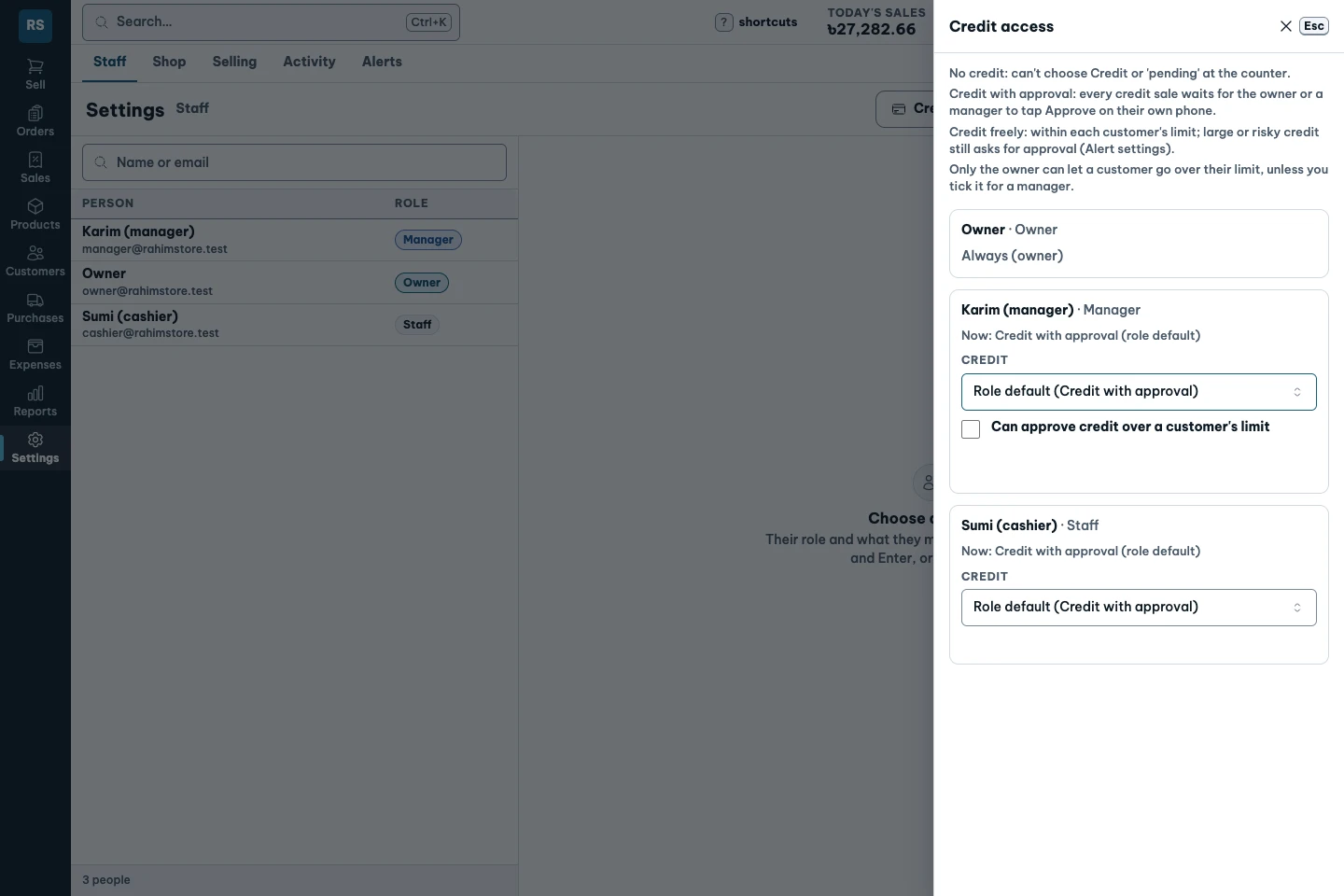
  • Set a credit limit and due date. Flag over-limit sales for approval.
  • Collections settle the oldest dues first. Keep advances separate from what is owed.
  • Open a WhatsApp dues reminder and issue a deposit slip.
Explore this feature ↗

Not available yet: Opening dues from your old notebook are not available yet.

Credit, dues, deposits · actual demo screen
Credit, dues, deposits · actual demo screen Actual demo app · tap to enlarge ↗
Credit access: staff permissions and approval rules
Credit access: staff permissions and approval rules Actual demo app · tap to enlarge ↗
Live

Customer deposits

Money left in advance is not an unpaid sale.

  • Hold an advance for goods the customer will collect later.
  • Use the deposit, refund it or retain the amount as credit.
  • See money held separately from what the customer owes.
Explore this feature ↗
Customer deposits · actual demo screen
Customer deposits · actual demo screen Actual demo app · tap to enlarge ↗
Live

Returns without erasing

A returned item should unwind the original figures.

  • Return part of a sale or void a same-day sale.
  • Refund to cash or bKash, or keep the amount as customer credit.
  • Reverse the original profit and tax, keeping the original entry visible.
Explore this feature ↗
Returns without erasing · actual demo screen
Returns without erasing · actual demo screen Actual demo app · tap to enlarge ↗
Live

Tax set once

Receipts and returns should use the same rules.

  • Choose no tax, VAT included in the price, or VAT added to the price.
  • Show the configured tax on the receipt.
  • Returns reverse the tax recorded on the original sale.
Explore this feature ↗
Tax set once · actual demo screen
Tax set once · actual demo screen Actual demo app · tap to enlarge ↗

Bring your questions.

Let’s walk through your shop ↗

Worth a look

A few useful ways to see whether Shopkeeper fits your shop.

Open original image ↗