Tap through the counter rush.
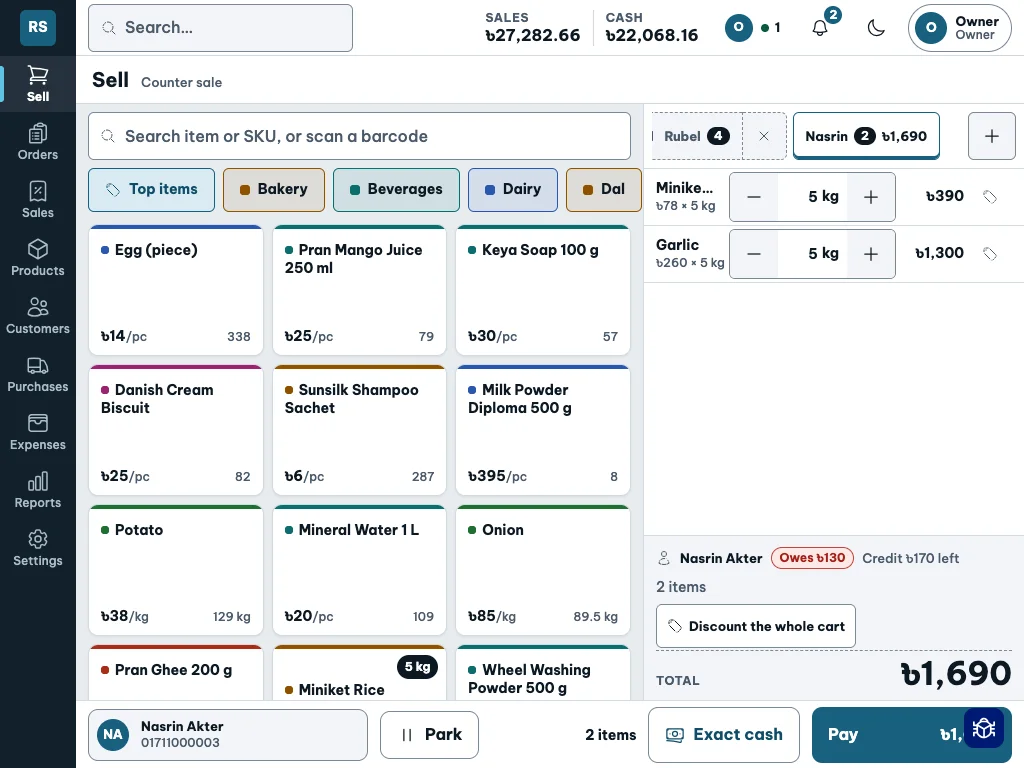
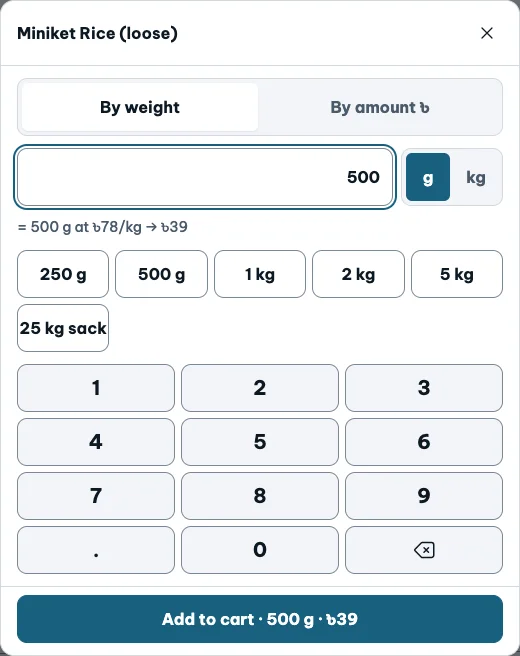
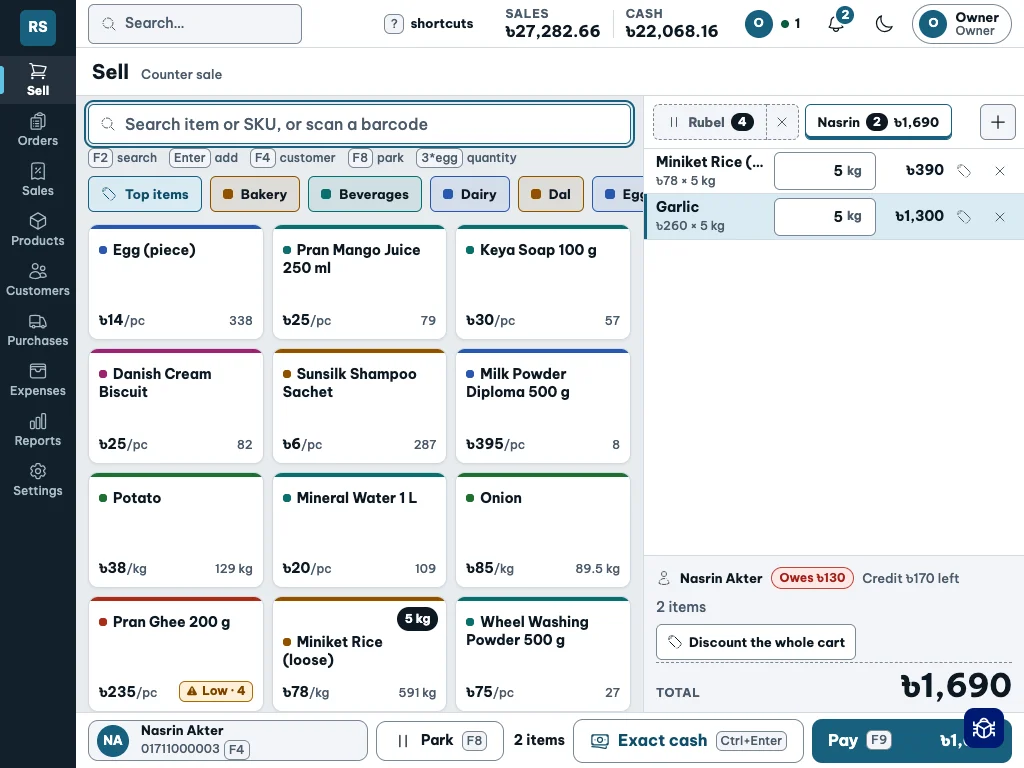
Use a tablet at the counter: large product tiles, quantity controls and an on-screen number pad for weighing and money-based selling.
Built for your device
A touch-friendly counter, keyboard shortcuts and a compact phone layout. See how Shopkeeper adapts to the way you work.
Use a tablet at the counter: large product tiles, quantity controls and an on-screen number pad for weighing and money-based selling.
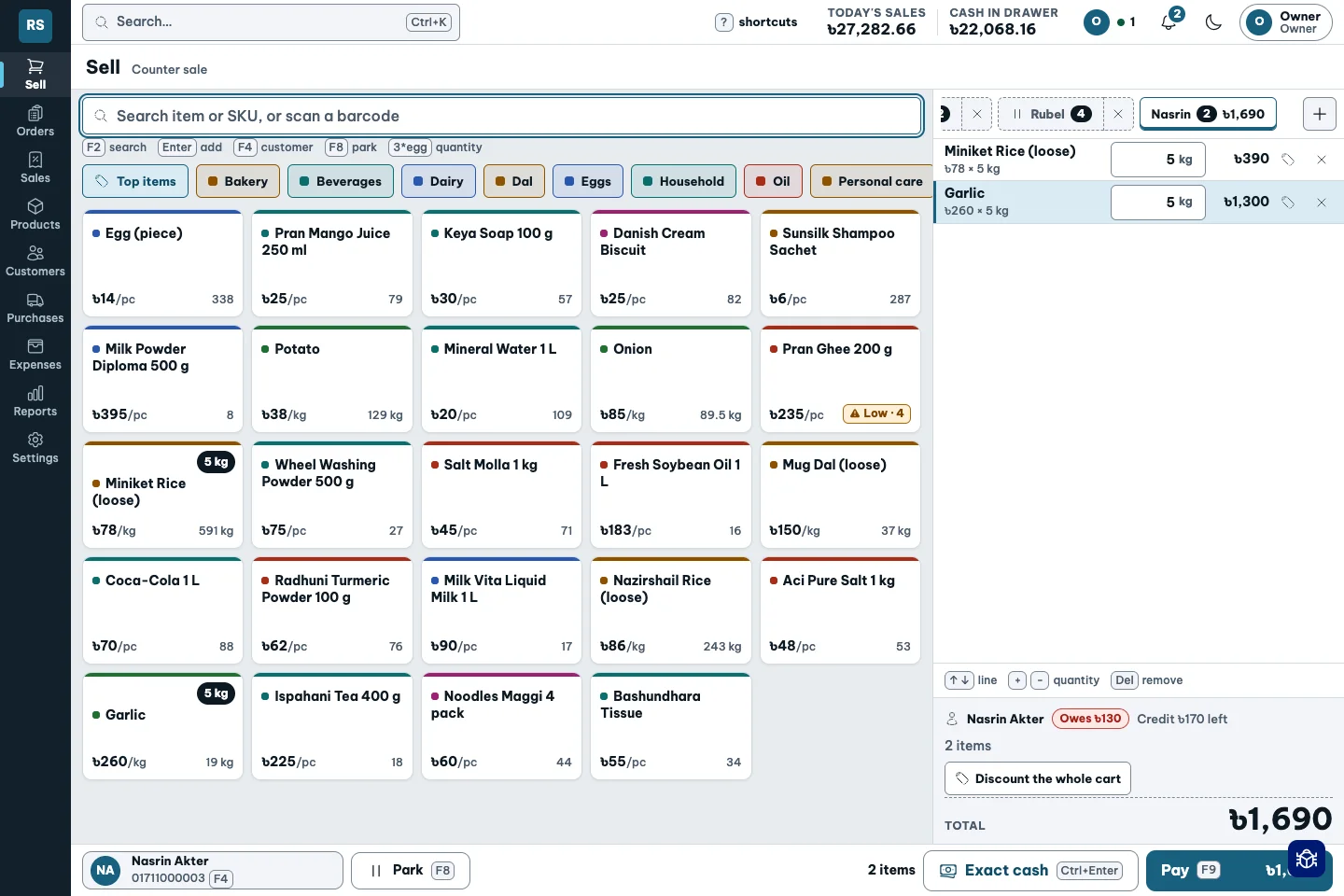
Search, scan a barcode or type 3*egg. The keyboard layout keeps shortcuts close and the cart in view.
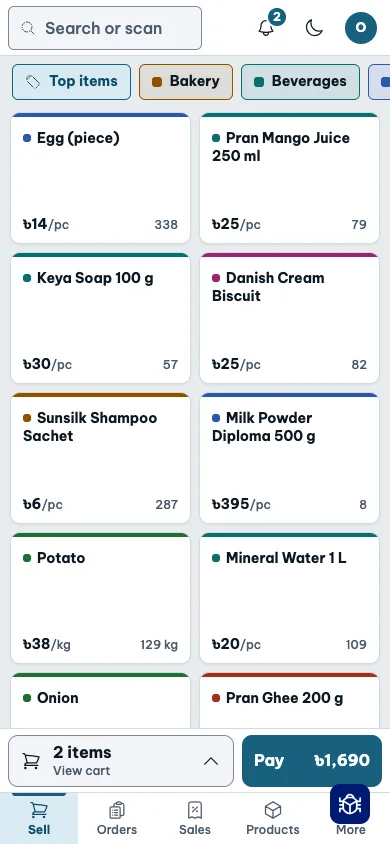
Use the compact selling layout on your phone, or check the shop and review approvals while away from the counter. Number entry uses your phone’s own keyboard.
Actual demo app, shown at laptop, tablet and phone screen sizes. Selling needs an internet connection.
Touch
Weigh 500 g or sell ৳50 worth. On a tablet in touch mode, the number pad is right on the screen. Larger controls make quantity changes easier to tap.
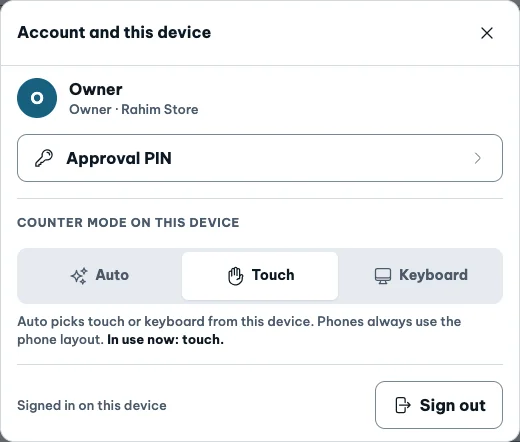
Switch to Keyboard when you prefer typing. The tablet keeps its screen size, while the controls change to suit a keyboard.
The choice stays in this browser on this device. Phones always use the phone layout; this switch is for larger screens.